

The last round of our tracc.eu GT Cup was an amazing race around Misano. But despite a commanding victory by Ondrej Batek, some more interesting stats can be extracted using our new tool, the ACC Race Visualiser.
Winning the race doesn’t mean winning everything!
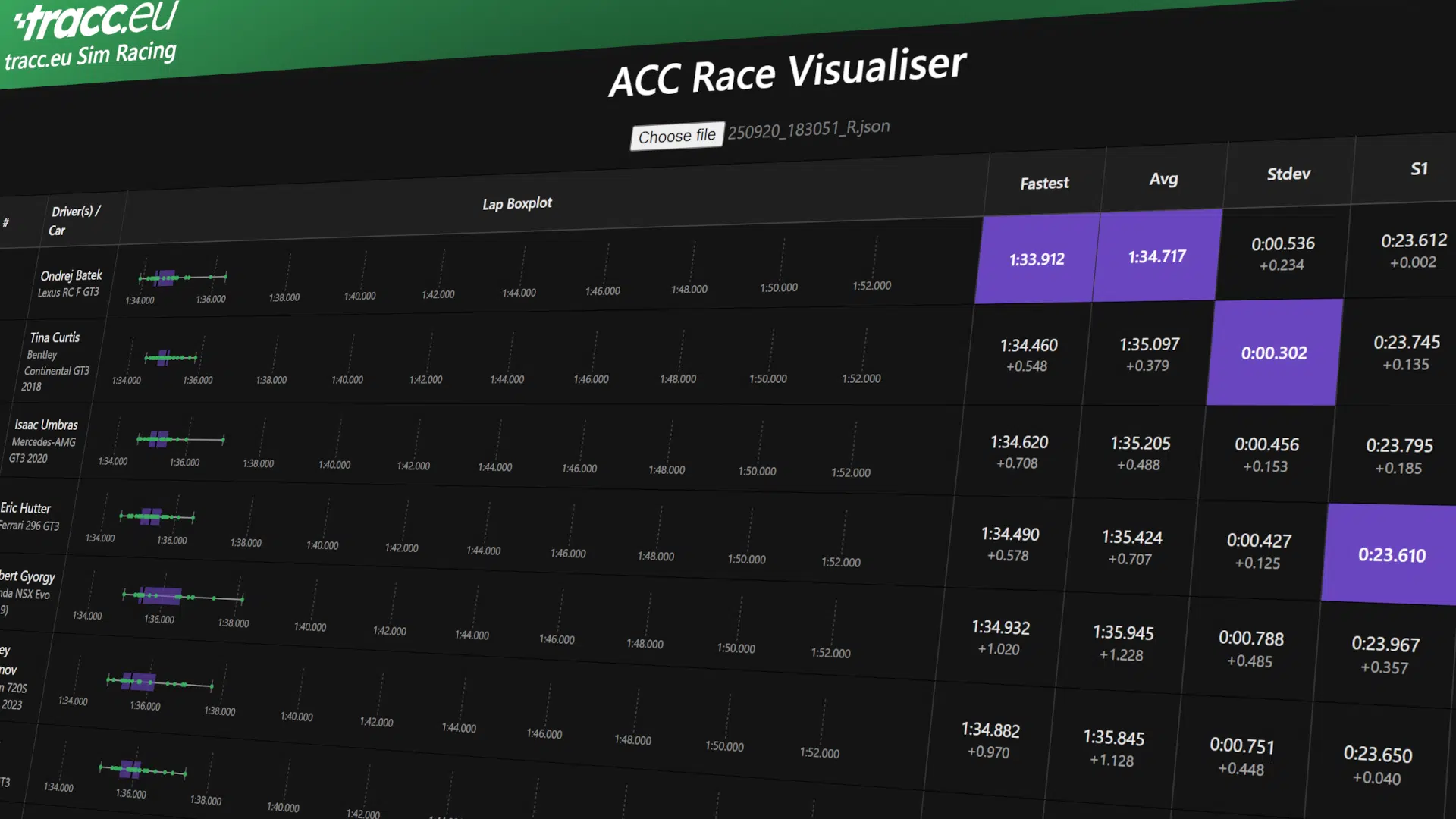
Take a look at this screenshot:

From the results file we can extract a bunch of interesting data. For example, with the included restrictions and data cleanup, the fastest driver overall was not the most consistent. While Ondrej Batek had the pure pace on his side, Tina Curtis in P2 was the most consistent! It’s important to mention that the data included for that calculation are all valid laps excluding the first lap of the race. Additionally, only drivers with 75% of the winning driver’s laps receive the Stdev consistency calculation.
Interestingly, while Ondrej Batek was the fastest almost everywhere, Eric Hutter achieved the best first sector! The P4 finisher was only 2 thousanths of a second quicker, but still gets the honour of a purple first sector!
Analysis up and down the grid!
Unfortunately, I was involved in a lap 1 incident during the race which left me at the end of the entire grid after qualifying P6. Interestingly, the data confirms my pace would have put me battling between P5-7. That is, judging by the average laps.
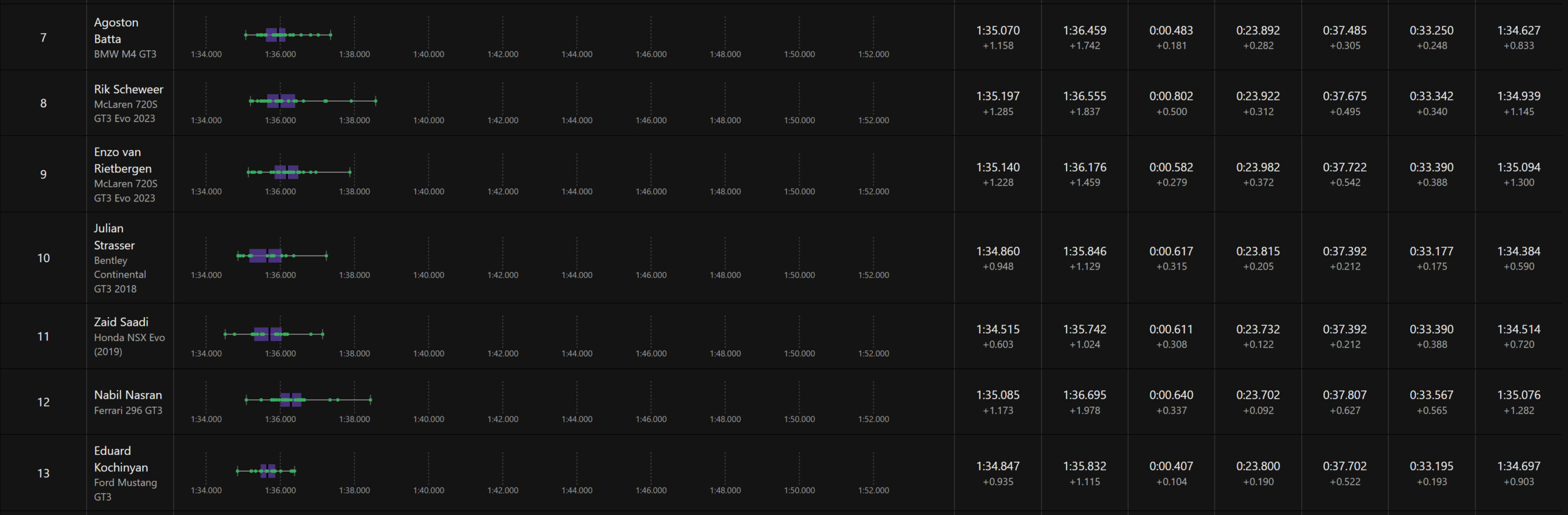
Interstingly, Eduard Kochinyan (who was also taken out in lap 1) and Zaid Saadi in AM class would have also placed very highly!
What you need to analyse data yourself
The ACC Race Visualiser uses Assetto Corsa Competizione results .json files. You can get those from the folders of the Assetto Corsa Compezizione Dedicated Server if you run it yourself. Alternatively, if the race is offered via a race manager like the Emporer Servers Assetto Corsa Competizione Server Manager, you can get the files from there. Just ask your server host for a link to where the server manager is hosted.
So, after you have gotten the .json file, just go to the ACC Race Visualiser page. There, click on the “Choose file” button and upload your results file. Don’t worry, you are not uploading files to our servers, you are just uploading them to your browser. The tool makes the calculations locally on your browser, so your data is safe!